Every tool your practice needs.
Nothing it doesn't.
Archject is built around the way architecture practices actually work, from initial brief through to final invoice. No bloat, no complexity, no reason to avoid opening it.
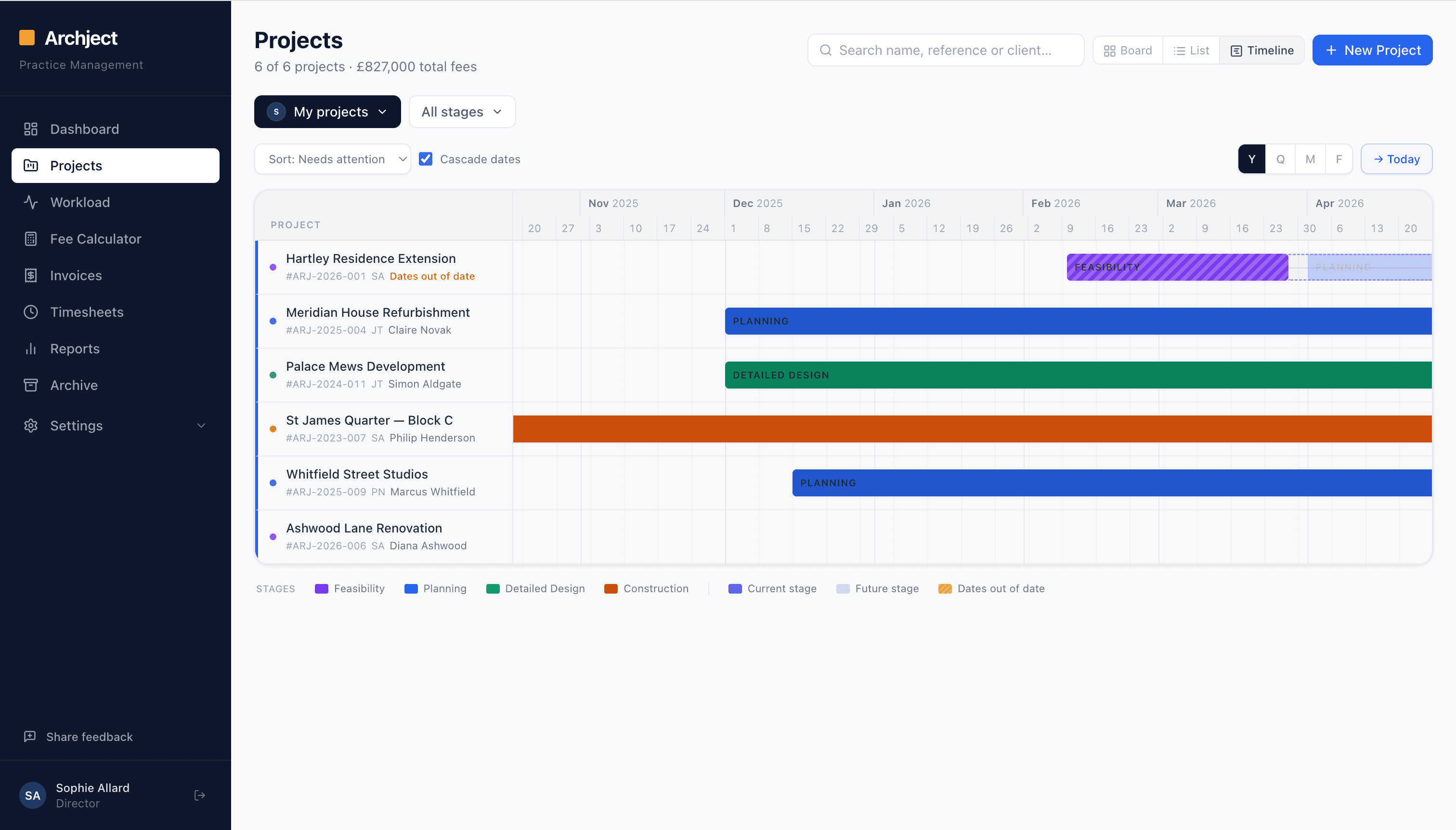
Every project. Every stage. One view.
Track every project through the RIBA stages with Kanban, Gantt, and List views, so you always know where every project stands without chasing your team for updates.
- Kanban board, Gantt timeline, and List view in one click
- RIBA stage colour-coding across your whole pipeline
- Filter by team member, stage, or project status
- Full fee pipeline visible at a glance
Balance your team before deadlines hit.
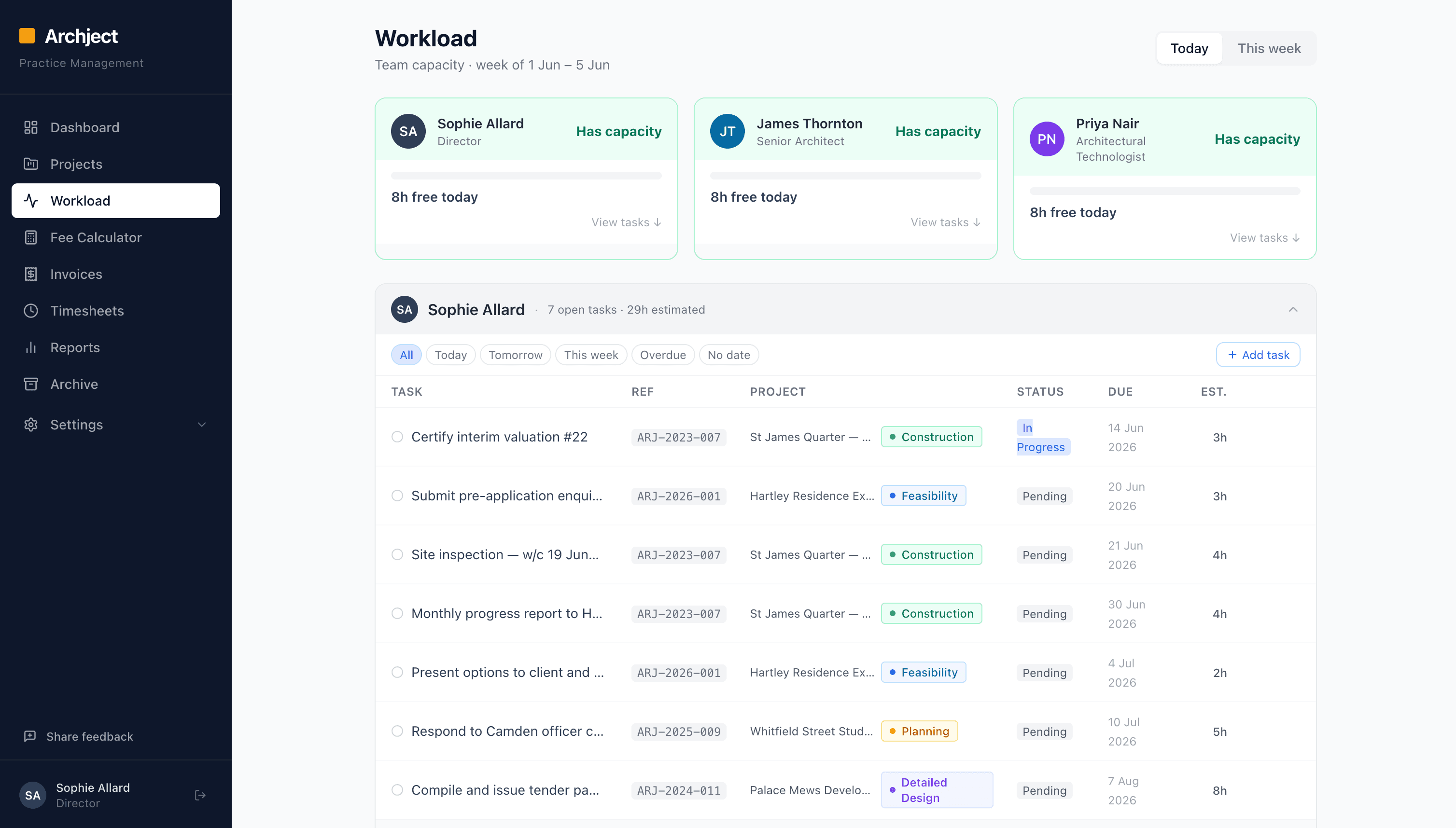
Archject's capacity view shows exactly who is overloaded and who has free time, so you can assign work intelligently and stop pressure building before it becomes a problem.
- See each person's free hours for today and this week
- Assign tasks and watch capacity update in real time
- Daily to-do list keeps everyone focused on the right work
- Spot resource gaps weeks before projects are due
Let AI handle the meeting admin.
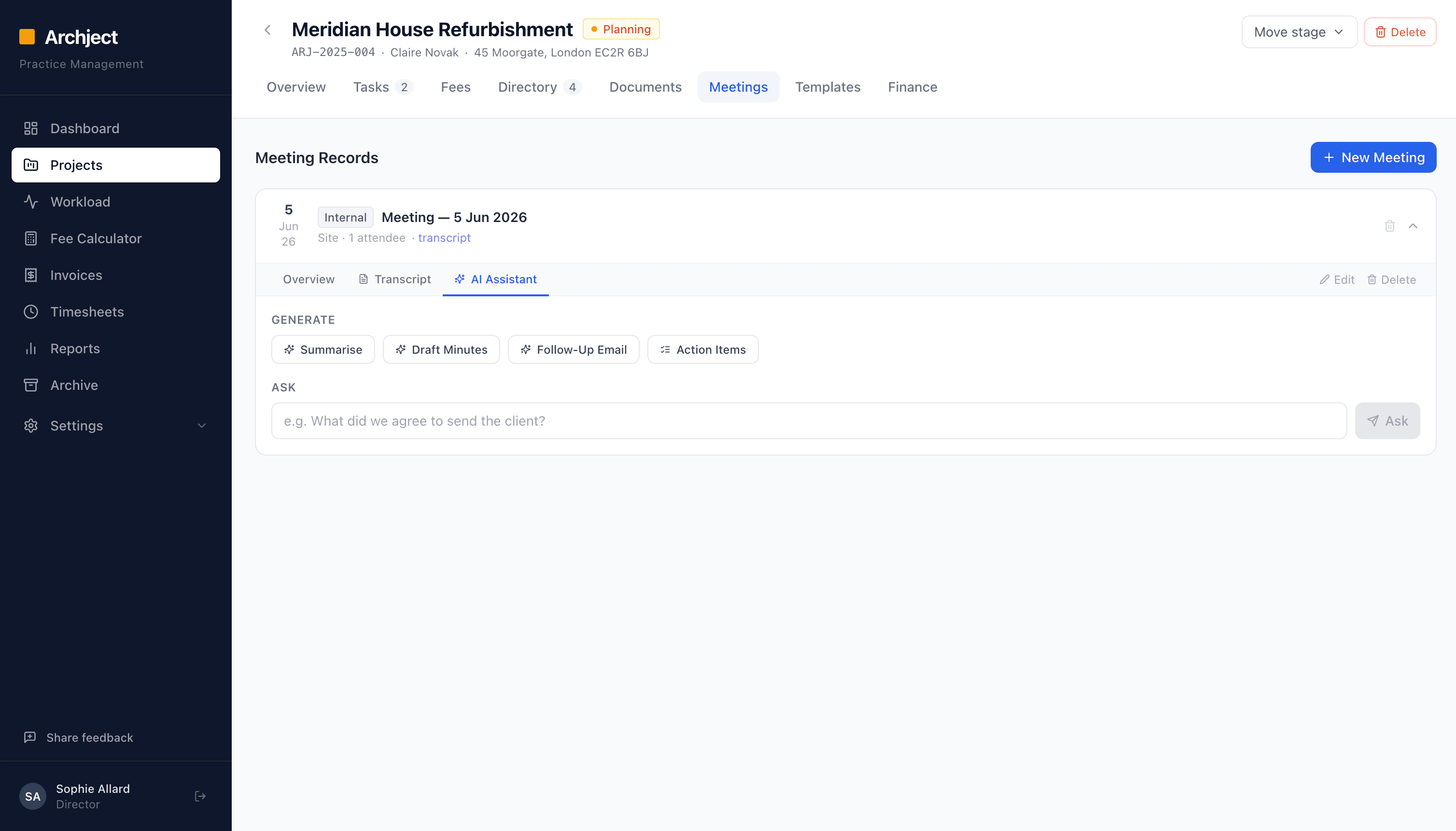
Record or paste your meeting notes and Archject drafts the minutes, writes follow-up emails, extracts action items, and creates tasks. Hours of admin in under a minute.
- AI-written meeting minutes, formatted and ready to send
- Follow-up emails to clients drafted in one click
- Action items extracted and turned into assigned tasks
- Ask the AI anything about the meeting: who agreed what, what was decided
Invoice confidently. Get paid faster.
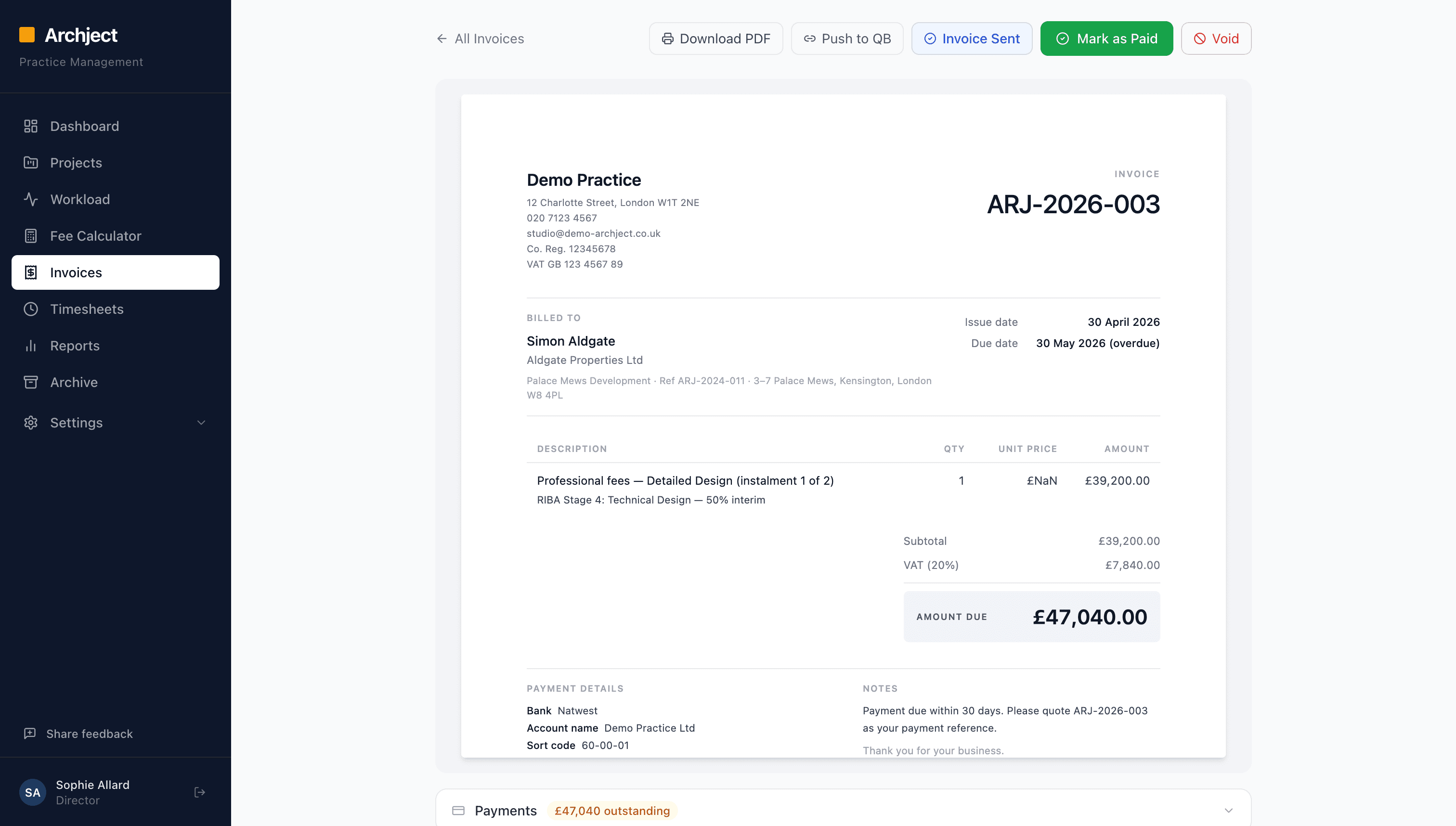
Archject calculates your professional fees precisely by RIBA stage, generates client-ready invoices, and tracks every open, reminder, and payment, so there are no surprises on cash flow.
- Accurate fee calculation by stage and project type
- See exactly when a client opens your invoice
- Automated payment reminder emails for overdue invoices
- Push invoices to QuickBooks in one click, no double entry
- Outstanding fees tracked across every live project in real time
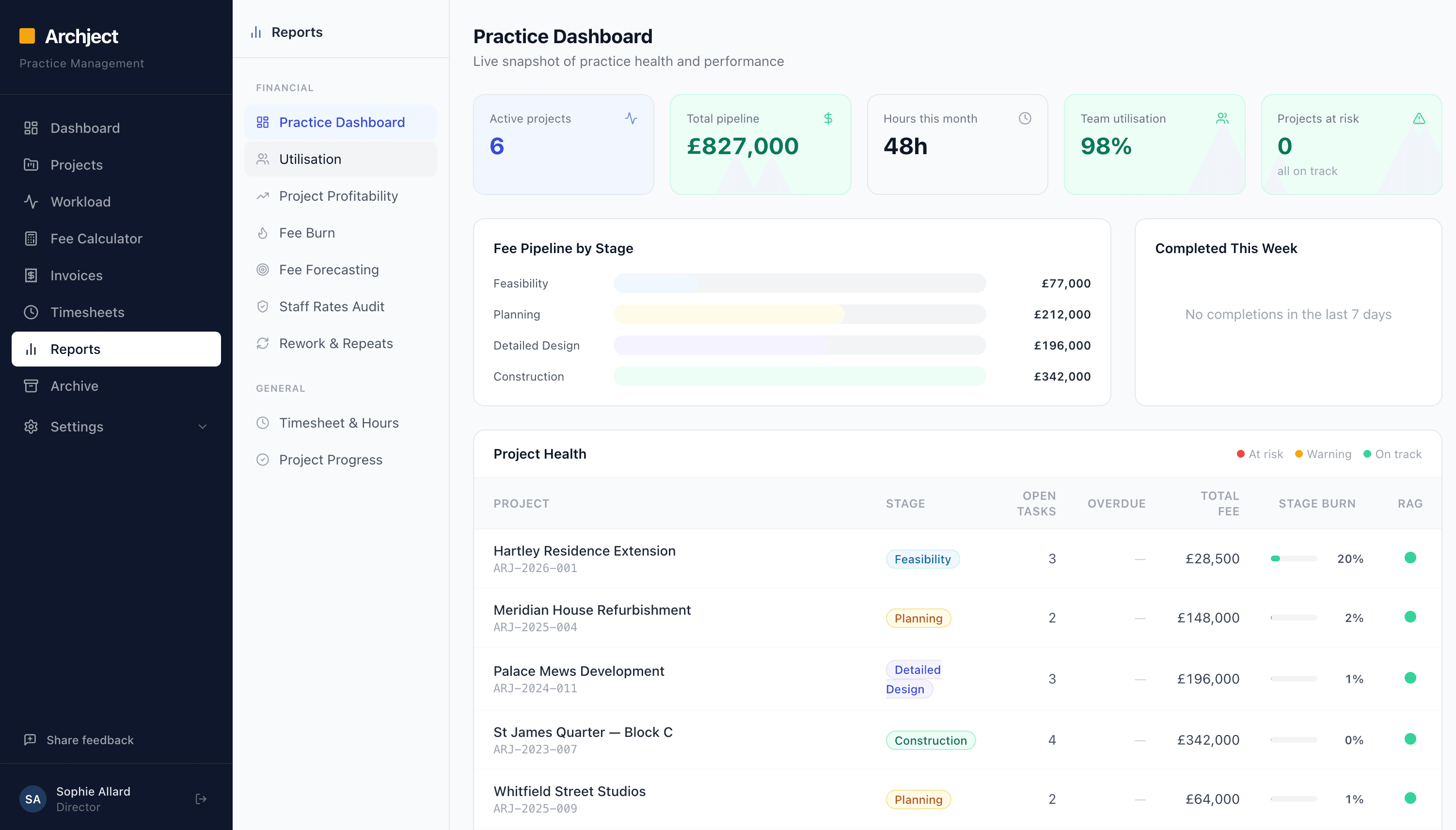
Run a data-driven practice.
Live dashboards give you the full picture: fee pipeline, team utilisation, project profitability, and fee burn, all in one place, without pulling numbers from five different spreadsheets.
- Total pipeline, billed to date, and remaining fees at a glance
- Project health view: on track, at risk, or over budget
- Team utilisation and fee burn per stage
- Historical data for more accurate fee quotes on future projects
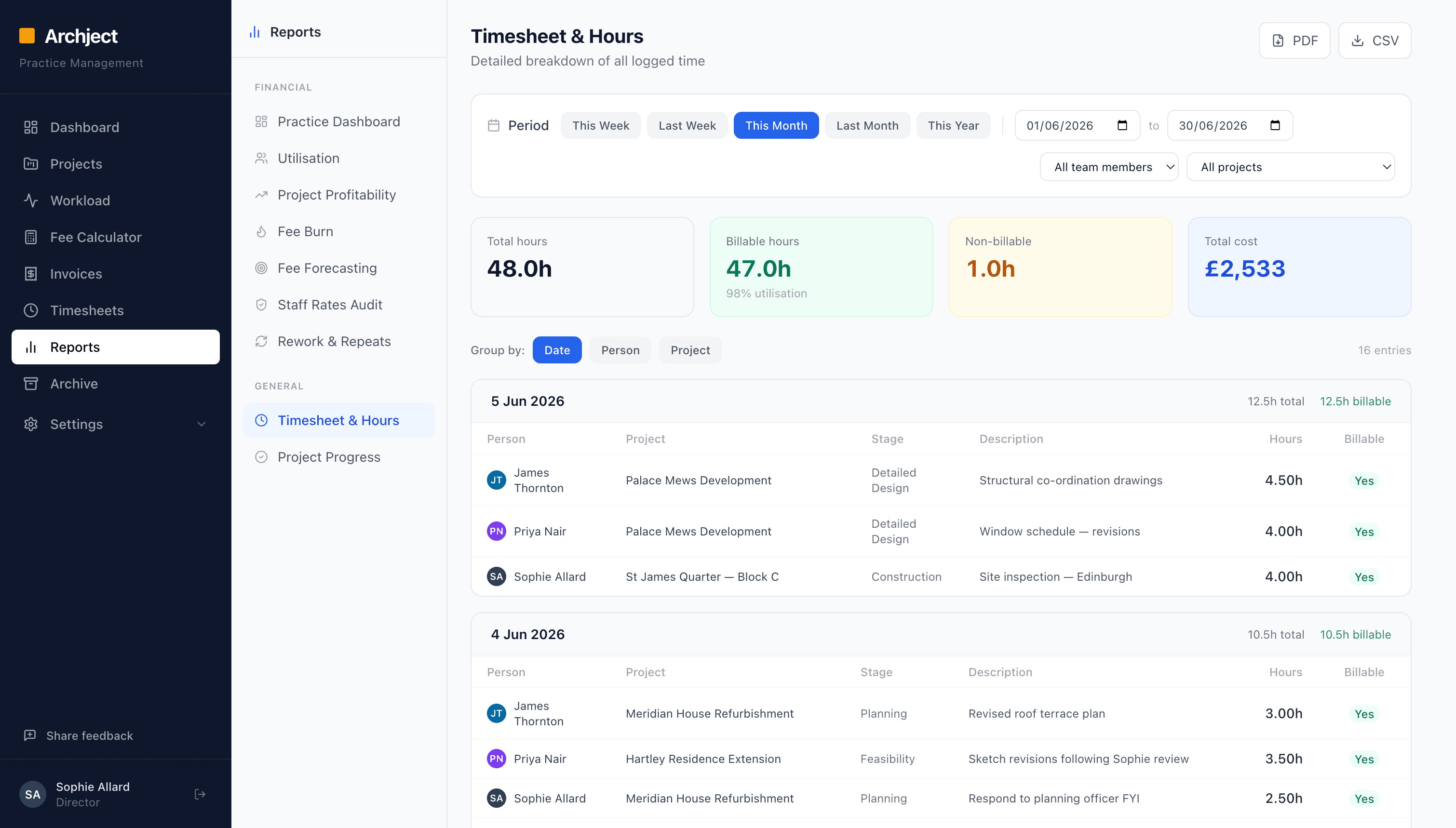
Timesheets that fill themselves.
Every task your team completes automatically logs against the right project and stage. Billable and non-billable time is captured without anyone filling in a timesheet at the end of the week.
- Completed tasks feed directly into timesheets, no manual entry
- Billable and non-billable time tracked separately
- Filter by project, stage, team member, or date range
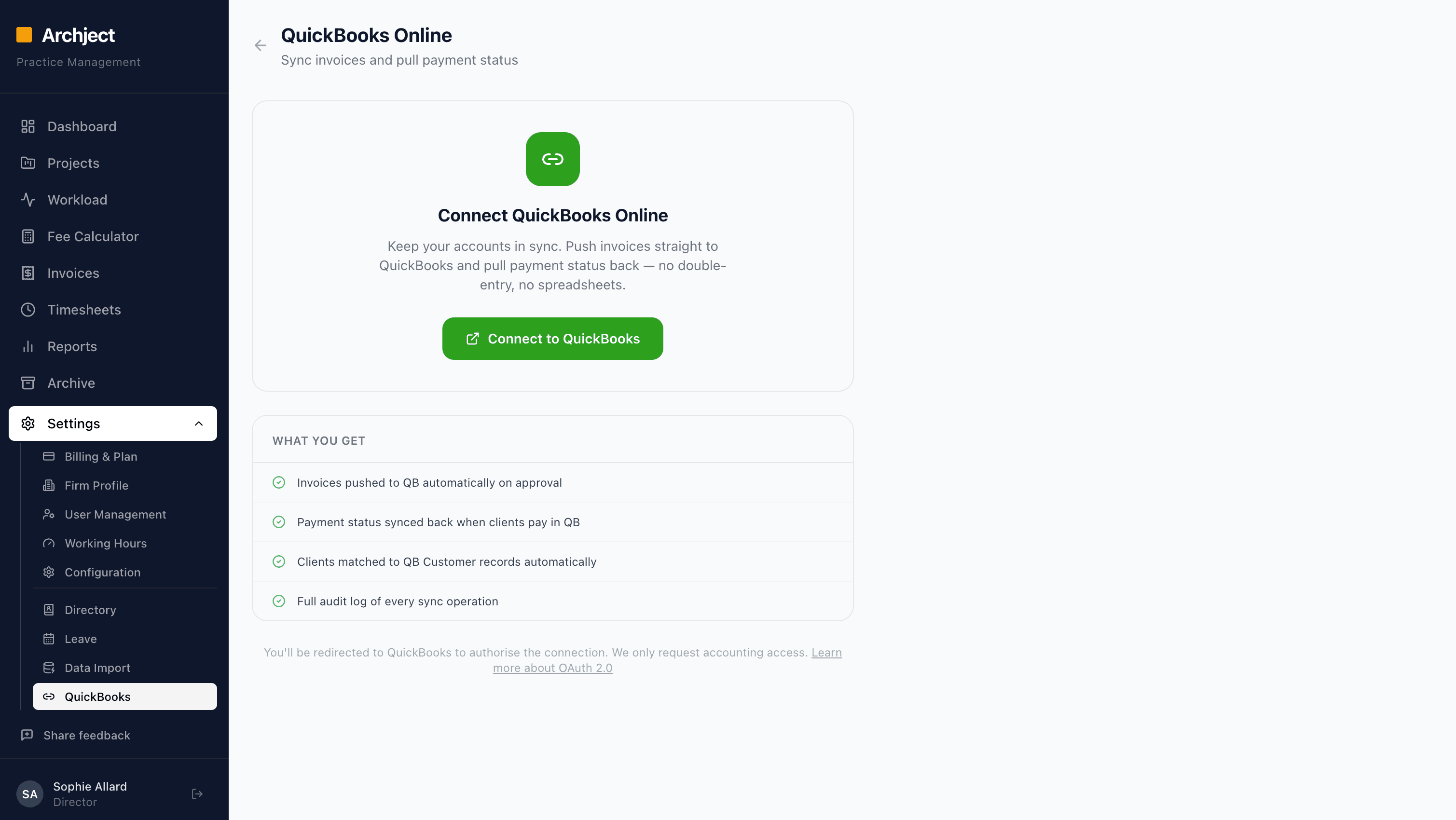
Your accounts, always in sync.
Connect QuickBooks Online and invoices push across automatically on approval. Payment status syncs back when clients pay, so your accounts stay accurate without any double entry.
- Invoices pushed to QuickBooks automatically on approval
- Payment status synced back when clients pay in QB
- Clients matched to QuickBooks Customer records automatically
- Full audit log of every sync operation
Everything else you need.
Archject also includes these features, built into every plan, no extras to unlock.
RIBA stage tracking
Projects move through RIBA stages 0–7 with colour-coded status, fee targets, and stage-level reporting.
Invoice read receipts
See exactly when a client opens your invoice. Automated payment chasers go out when invoices go overdue.
Template library
Reuse standard task lists, meeting agendas, and project structures across similar jobs. Set up once, apply everywhere.
Less admin. More design.
Book a 30-minute demo and we'll walk you through the platform on your own projects.